Cornerstone Services, Inc. Give us a call (845) 255-5722
Free 22-Page Guide

Give every mail piece a
second impression —
in the inbox.

USPS emails a daily preview of incoming mail to 72.9 million subscribers. As a mailer, you can ride alongside that email with a full-color image and a clickable link — at no extra postage cost. This free guide shows you exactly how to set it up.

Based on USPS primary documentation · Includes official USPS case studies

USPS Informed Delivery for Direct Mail — Free 22-Page Guide by Cornerstone Services Free Guide

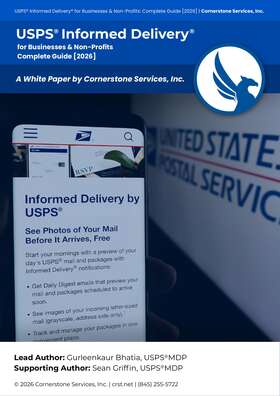
USPS Informed Delivery
for Direct Mail

22 pages. Everything you need to add a color image and clickable link to your next mailing — at no extra postage cost.

  • Setup walkthrough — USPS Mailer Campaign Portal
  • Which mail classes qualify (and why EDDM doesn't)
  • Image specs: 200×200px min, under 200KB
  • ROI tracking with UTM + three-group test
  • Pittsburgh Pirates 39% response lift case study

Get the free guide

Instant PDF. We'll send it straight to your inbox.

Free  ·  No obligation. We don't sell your information.

72.9M
USPS subscribers
60.1%
Daily Digest open rate
+39%
Response lift (case study)
Since 1998
Cornerstone Services
The Opportunity

Right now, your mail shows up
as a gray blur.

Every subscriber sees a grayscale scan by default. You can appear alongside it — full color, with a button — for free.

Default USPS scan
Grayscale scan only
Same mail piece
With ride-along image
Learn More
Color image + clickable link  ·  No extra postage
What's Inside

22 pages. No filler.
Sourced from USPS documentation.

01

How the USPS Daily Digest works

The mechanics behind the email — what 72.9M subscribers see, how scans are processed, and when your piece appears.

02

Setting up a ride-along campaign

Step-by-step walkthrough of the USPS Mailer Campaign Portal: uploading creative, scheduling, and linking to your mailing.

03

Which mail classes qualify

First-Class Mail, Marketing Mail, and Nonprofit Mail qualify. EDDM Retail does not — and we explain exactly why.

04

Image specs

200×200px minimum, JPEG or PNG, under 200KB. Plus safe zones, color best practices, and what USPS rejects.

05

Measuring ROI with UTM tracking

How to set up UTM parameters, unique landing pages per campaign, and the three-group test design to isolate lift.

06

The Pittsburgh Pirates' 39% response lift

The full case study: test design, creative used, results, and what every mailer can take from their Informed Delivery strategy.

Sean H. Griffin, President and Founder of Cornerstone Services, Inc.
Written by a mailer, not a marketer

Sean H. Griffin

President & Founder  ·  USPS® Mail Design Professional

I wrote this guide because most of our clients didn't know Informed Delivery existed — and the ones who did weren't sure how to set it up. I've been mailing since 1998, we've processed over 2.3 million pieces, and everything here comes directly from USPS primary documentation. No speculation. No filler. Just what you actually need to run a campaign.

USPS® Printer Directory BBB A+ Rated Ulster · Dutchess · Orange County 2.3M+ pieces mailed

Get the guide, then decide
if it's worth doing.

Free. No obligation. Sourced from USPS documentation. Your inbox is the first stop — not our CRM.